
Submit a Blog Post
Accessing the Blog Post Form
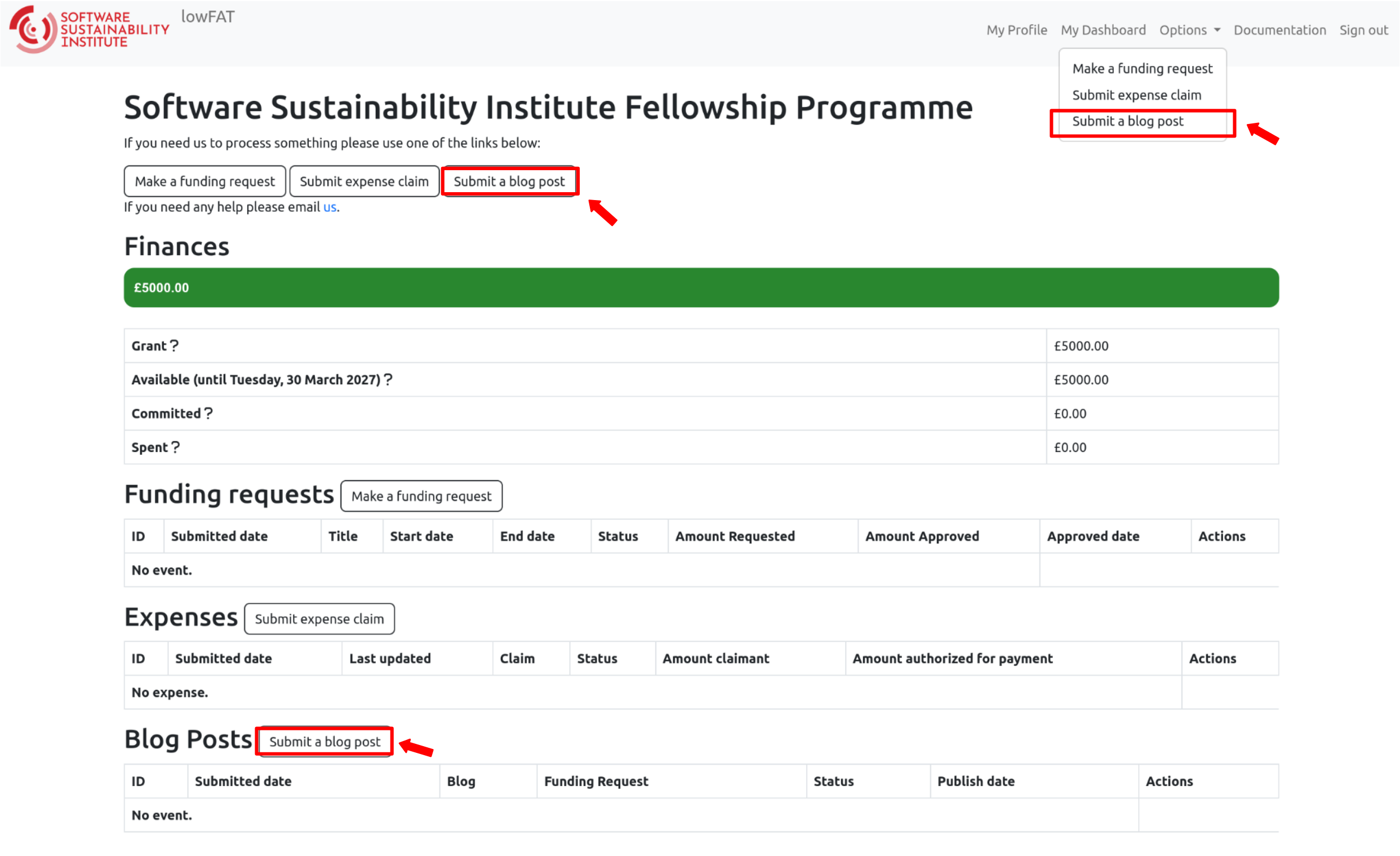
You can submit a blog post in one of the following ways:
- Go to “Options” in the top navigation menu and select “Submit a blog post”
- Click the “Submit a blog post” button at the top of the dashboard view
- Click the “Submit a blog post” button next to the “Blog Posts” heading
This will open the blog post submission form.
Before submitting, please review the Guides for Content Contributors for writing tips and requirements.
Submitting a Blog Post via lowFAT
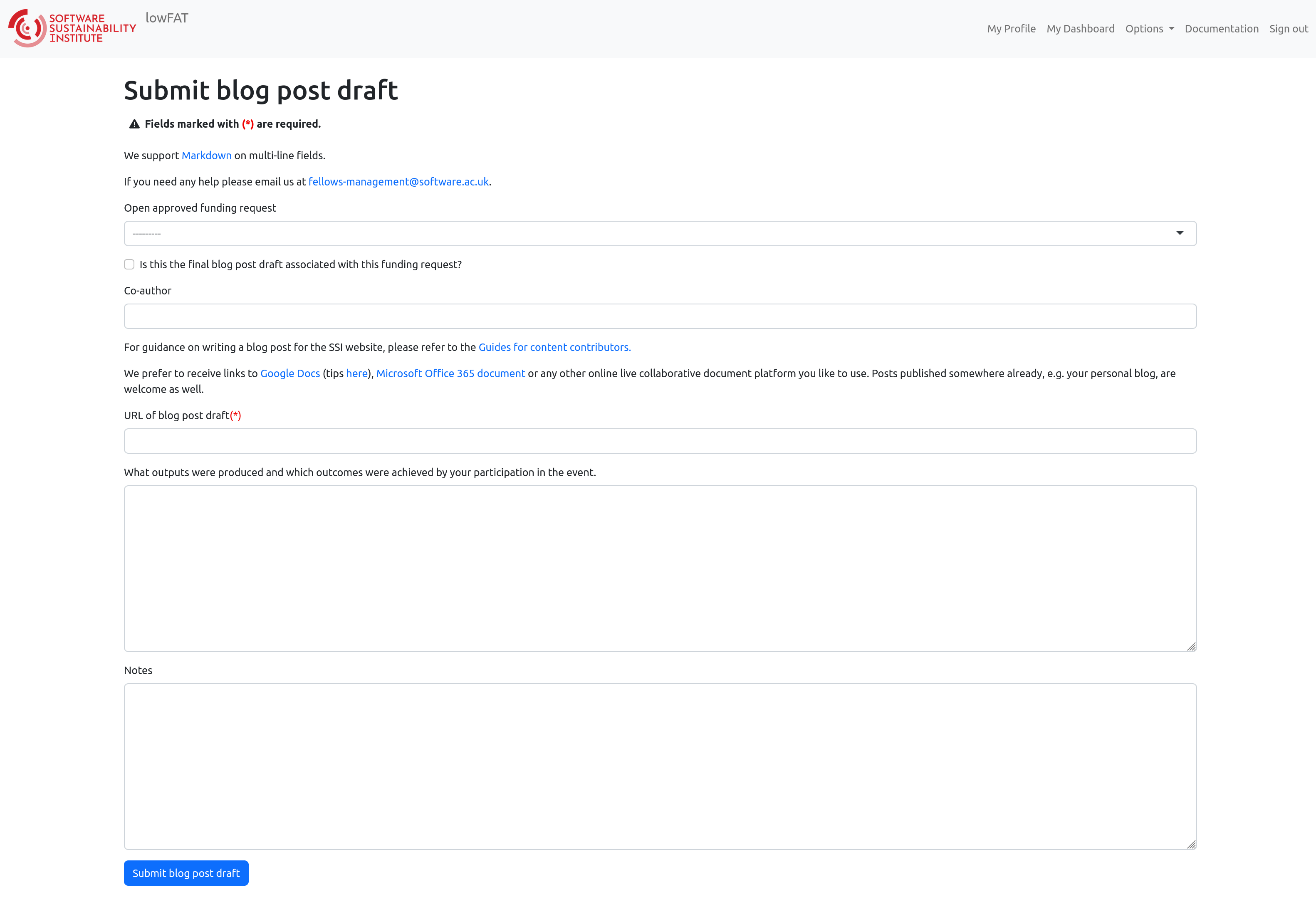
Follow these steps to complete the submission form.
-
Select the approved funding request
If you do not see your approved funding request listed, please contact:
fellows-management@software.ac.uk -
Indicate whether this is the final version of your blog post.
Please note:
- Your blog post will be reviewed by SSI staff
- It may be revised before publication
- At this stage, you are simply indicating whether this is your final version
-
Provide the names of any co-authors
List all co-authors who contributed to the blog post.
-
Provide the URL of your blog post draft
We prefer receiving links to drafts hosted on:
- Google Docs
- Microsoft Office 365
- Other online collaborative platforms
Images
Please do not embed images directly in Google Docs.
Instead:
- Include a link to the image if it is your own, or
- Send the image separately with a caption and reference to the blog post to:
- Denis Barclay – d.barclay@software.ac.uk
- Oscar Seip – oscar.seip@manchester.ac.uk
If your blog post has already been published (e.g. on your personal blog):
- Copy the content into a new Google document
- Share the link to that document
-
Describe your outputs and outcomes
Briefly explain what was achieved as a result of your participation or the topic raised.
Outputs (tangible deliverables), such as:
- Presentation slides
- Reports
- Software
- Datasets
- Blog posts
Outcomes (impact or benefits), such as:
- New collaborations
- Knowledge gained
- Skills developed
- Changes in practice within your community
-
Add any additional notes (optional)
Include any relevant comments or clarifications.
Need Help?
For general queries, email:
fellows-management@software.ac.uk
If you have questions about finance processes, especially before submitting an expense claim, you can contact:
The Finance Team is happy to guide you through the process, particularly if you are a new Fellow.