
Navigating the Interface
When you sign in, you land on the Dashboard.
The dashboard shows an overview of all activities in the system, including funding requests, expense claims, and blog posts, grouped by status.
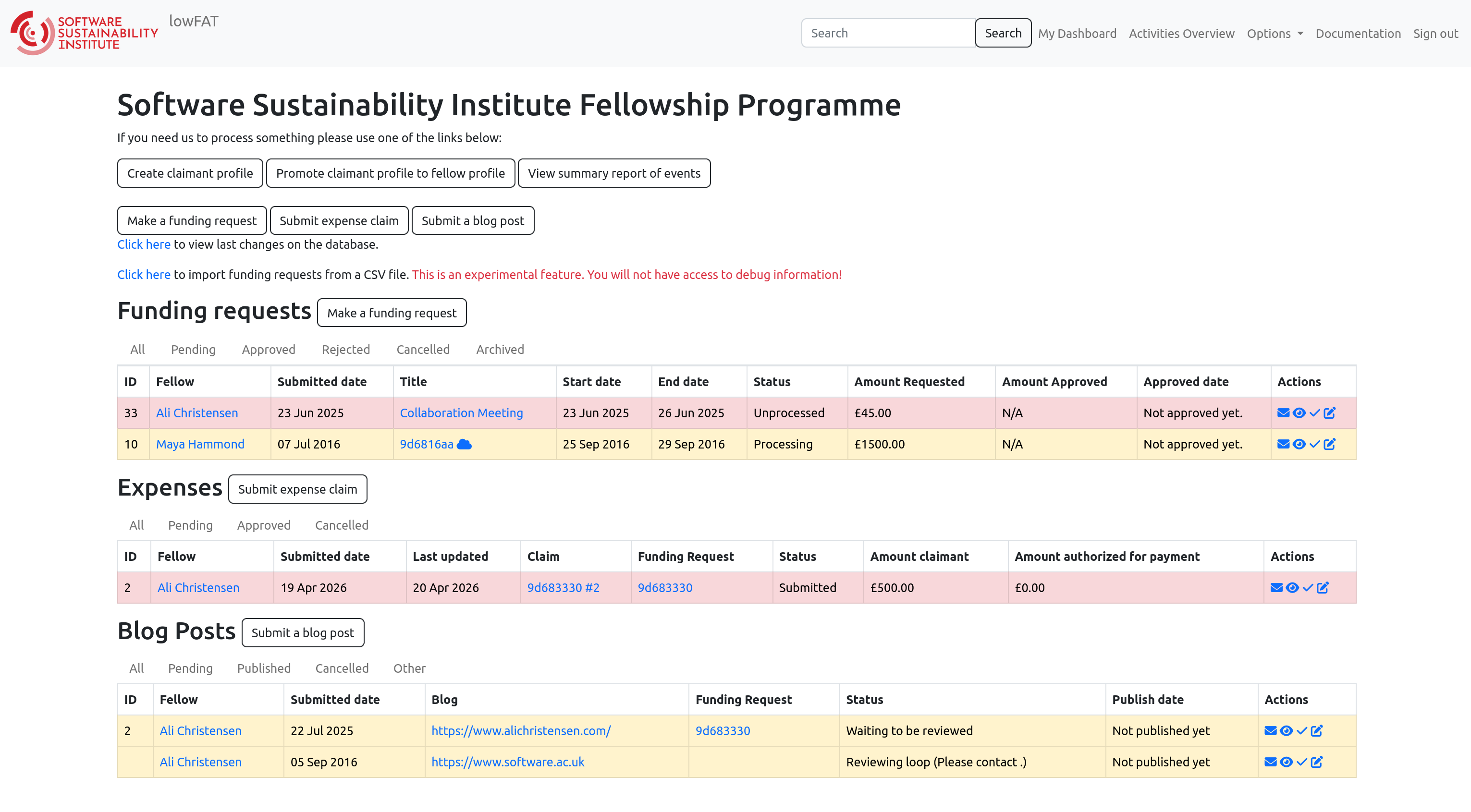
You can move around lowFAT using:
- The top navigation bar
- The search bar
From the navigation bar, you can access:
- Activities Overview
- Options
- Documentation
- Sign out
You can also use the search bar to find:
- Fellows
- Funding requests
- Expense claims
- Blog posts
Selecting a result will take you to the relevant detail page.
Fellow Detail Page
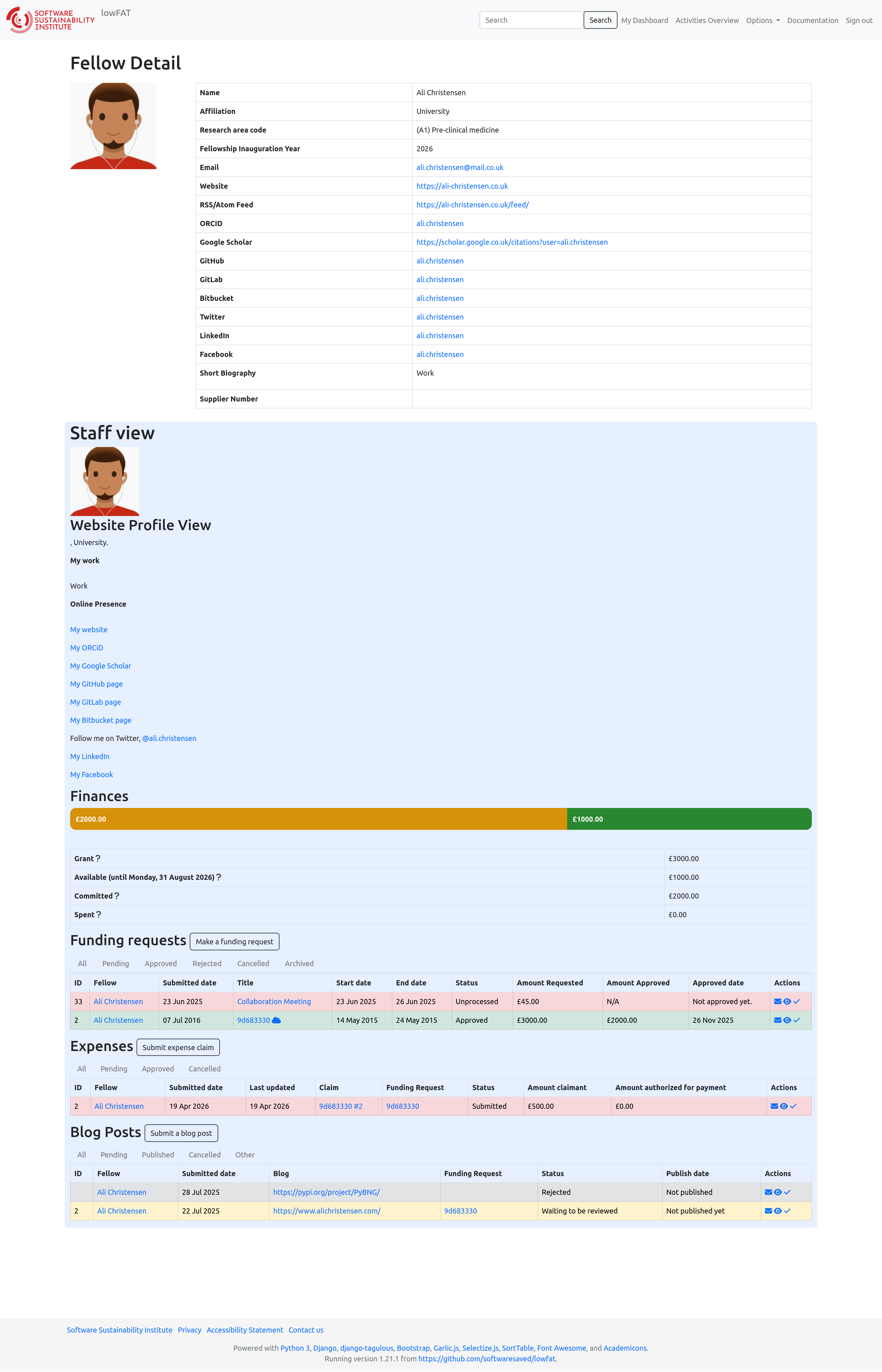
Selecting a Fellow (via search or dashboard) opens their Fellow Detail page, which is divided into two main parts:
Profile Information
The top section displays the Fellow’s personal and professional details, including:
- Name
- Affiliation
- Research area
- Fellowship year
- Email address
- Supplier number
- External links (e.g. ORCID, GitHub, website)
The supplier number is a unique identifier issued by the University of Edinburgh Finance department, used to process payments.
- It is assigned after the first expense claim is submitted and processed
- It must be added manually to the Fellow’s profile in lowFAT
- Fellows must include this number on all future expense claim forms
Staff View (Website Profile Preview)
This section shows how the Fellow’s profile appears on the SSI website, including:
- Profile summary (e.g. “My work”)
- Online presence (links and social profiles)
This allows staff to review how the Fellow’s information will be presented publicly.
Finances
This section shows how a Fellow’s grant is allocated. It is useful for quickly checking whether a Fellow has sufficient funds before approving a request, or for responding to queries about their remaining budget.
It includes:
- Grant – total amount awarded
- Available – remaining funds available to use
- Committed – funds already allocated to approved requests
- Spent – funds already claimed and processed
Fellow Submissions
This section shows everything the Fellow has submitted through lowFAT:
- Funding requests – including status and amounts
- Expenses – submitted claims and their status
- Blog posts – drafts and published posts
This provides a clear overview of where the Fellow is in the programme lifecycle.
Profile Update Notifications
Whenever a Fellow updates their profile, the Fellowship Programme Team receives an automatic notification.
Staff should:
- Review the updated information for accuracy and completeness
- Update the SSI website accordingly as soon as possible
- Contact the Fellow via fellows-management@software.ac.uk if any clarification is needed