Managing Blog Posts
Fellows are required to submit a blog post following each funded activity.
A blog post must be submitted and approved before an associated expense claim can be processed for payment.
Staff are responsible for:
- Triaging submissions
- Assigning reviewers or editors
- Managing the review loop
- Overseeing proofreading and publication
Accessing a Blog Post
Blog posts can be accessed from the Dashboard.
- Locate the blog post under the relevant status column
- Click “Review” under the Actions column
This opens the blog review form.
Blog Post Statuses
| Status | Staff Action / Meaning |
|---|---|
| Waiting for triage | Blog post submitted — staff must assign a reviewer or editor |
| Waiting to be reviewed | Assigned to a reviewer/editor; awaiting review |
| Reviewing loop | Blog is under active review; may go through multiple feedback cycles |
| Waiting to be proofread | Review complete; ready for proofreading |
| Waiting to be published | Proofreading complete; ready for publication |
| Published | Blog post has been published |
| Cancelled | Cancelled by the Fellow or reviewer (e.g. content is no longer relevant) |
What to Check
When managing a blog post, staff should ensure:
- The blog post is linked to the correct funding request
- The content is relevant to the funded activity
- The draft is accessible (e.g. Google Docs link works)
- Any reviewer/editor has been assigned where required
Images in Blog Posts
Fellows are asked not to embed images directly in Google Docs drafts.
If a blog post includes embedded images, staff should ask the Fellow to:
- Provide a link to the image (if they own it), or
- Send the image separately with a caption
Images should be sent to the Comms Officer or relevant SSI contact.
Previously Published Posts
If a Fellow has already published their blog post elsewhere (e.g. personal blog):
- The content must be copied into a new Google Doc
- The Google Doc link should be submitted via lowFAT
Staff should confirm this has been done before starting the review process.
Reviewing a Blog Post
Once the blog post has been triaged and assigned, staff can review and update it using the form.
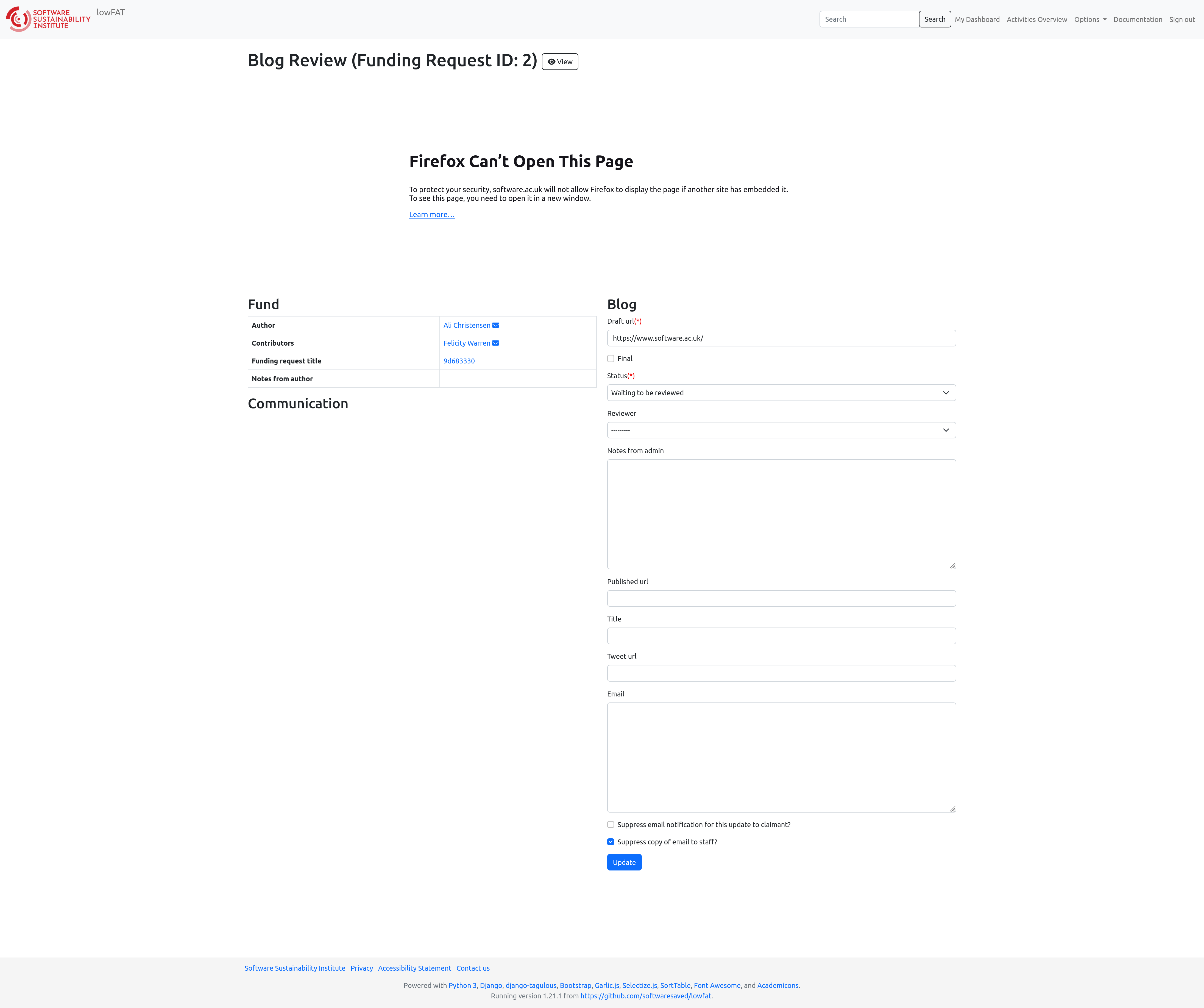
All required fields and guidance are provided within the form itself.