
Runtime Configuration
lowFAT uses django-constance for a number of runtime-configurable settings.
These settings can be changed through the Django admin interface without modifying the source code or restarting the application.
The runtime configuration panel is available through:
/admin/constance/config/
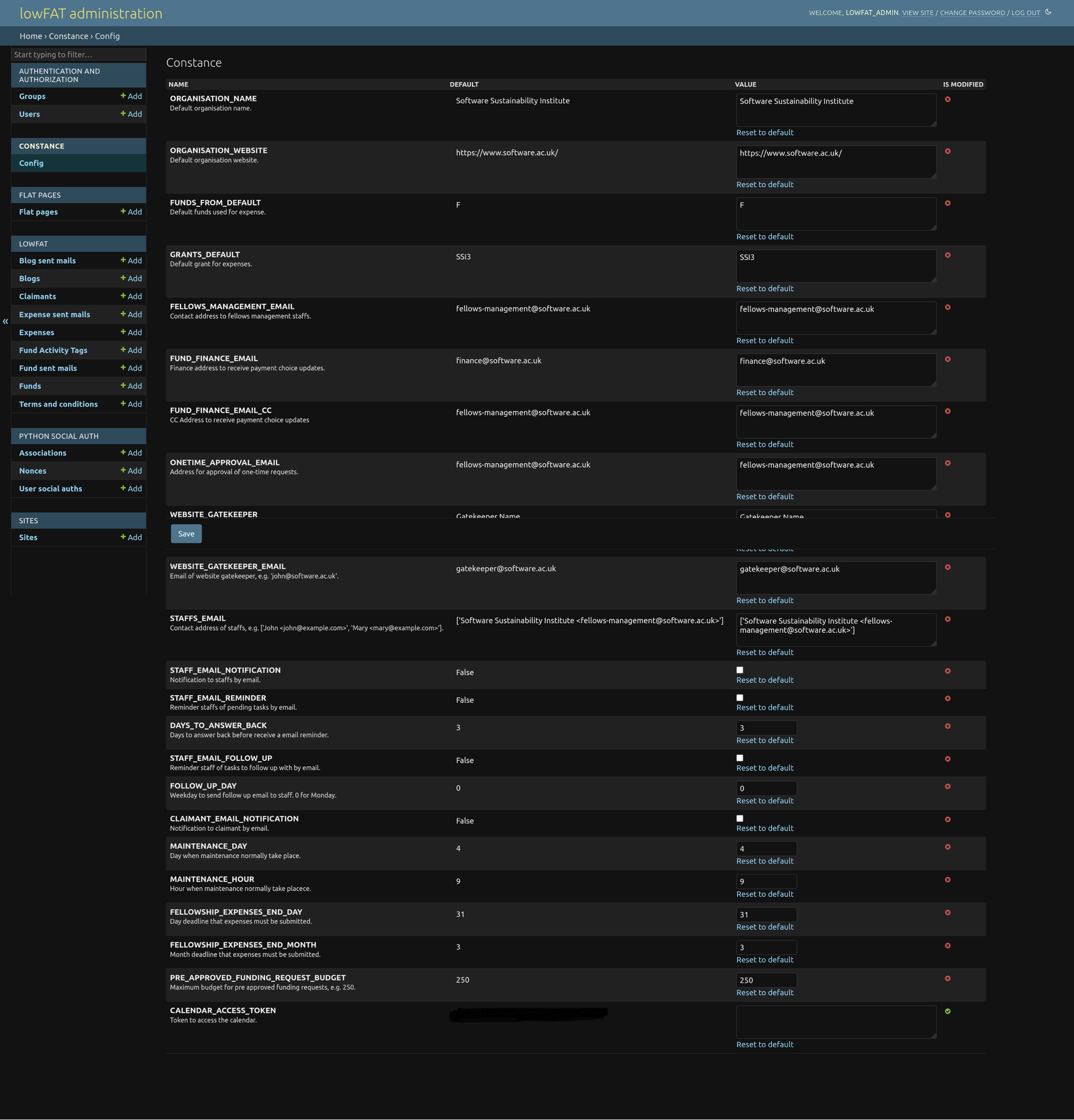
Typical examples include:
- email notification toggles,
- finance notification configuration,
- workflow-related settings,
- public-facing configuration values,
- and application behaviour flags.
Email templates themselves are managed separately through Flat Pages, as described in the Staff Guide.
Adding New Runtime Settings
New runtime settings must first be added to:
CONSTANCE_CONFIG
inside:
lowfat/settings.py
Once added, the setting becomes available through the django-constance admin interface.
For more information, see the official django-constance documentation.
Do not include production secrets, access tokens, or sensitive configuration values in public documentation screenshots.