
Authentication and OAuth
lowFAT primarily uses Django’s built-in authentication system for user accounts, password resets, and administrative access.
The project also contains optional GitHub OAuth support using social-auth-app-django.
GitHub OAuth
GitHub OAuth support remains in the codebase, but maintainers should review the current authentication behaviour carefully before enabling it for a deployment.
Previous issues included duplicate-account creation when existing users authenticated through GitHub (see issue #778). The OAuth pipeline currently includes custom account-linking logic through:
lowfat.auth.wire_profile
The related configuration and routes are still present in the application.
OAuth Application Setup
GitHub OAuth applications can be created through:
https://github.com/settings/applications/new
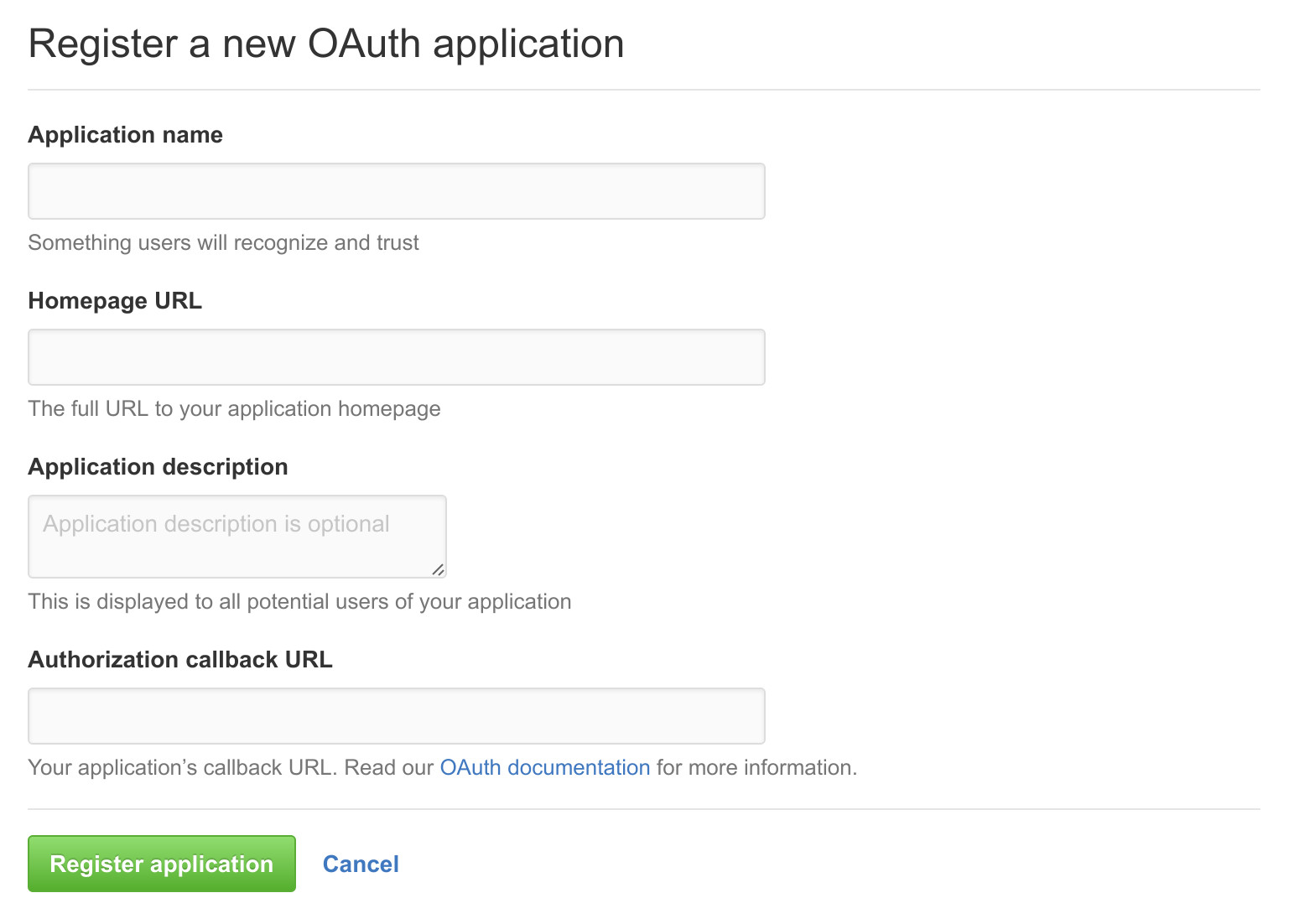
Typical configuration values include:
- Application name:
FAT - Homepage URL:
http://lowfat.your.domain - Application description:
Fellows Administration Tool - Authorization callback URL:
http://lowfat.your.domain/complete/github/
Authentication Routes
Authentication-related routes are defined in:
lowfat/urls.py
This includes:
- login and logout views,
- password reset routes,
- and optional OAuth integration routes.
Related Packages and Settings
The OAuth integration currently uses:
social-auth-app-djangosocial_django
Additional configuration may also exist in:
lowfat/settings.py- environment configuration files
- Django admin runtime settings
GitHub OAuth settings currently include:
SOCIAL_AUTH_GITHUB_KEYSOCIAL_AUTH_GITHUB_SECRETSOCIAL_AUTH_REDIRECT_IS_HTTPS
Before enabling GitHub OAuth for a deployment, review the current account-linking and authentication behaviour carefully.